Integration with Cytoscape Web
Cytoscape Web is a web-based network visualization and analysis tool built on modern web technologies. It allows users to visualize, analyze, and share complex networks directly within their web browsers without the need for installing any software.
The Cell Mapping Toolkit is using the Cytoscape Web Service App framework to expose the individual steps of the pipeline through Cytoscape Web.
Cytoscape Web Community Detection aka Hierarchy Generation App
This section walks you through the steps to integrate and use the Cell Mapping Toolkit Community Detection aka Hierarchy Generation step/tool within Cytoscape Web.
This Cytoscape Web Service App takes a Network, clusters it at multiple resolutions to generate a hierarchy describing those communities.
Note
This is a new App and is still under active development. Please report any issues Here
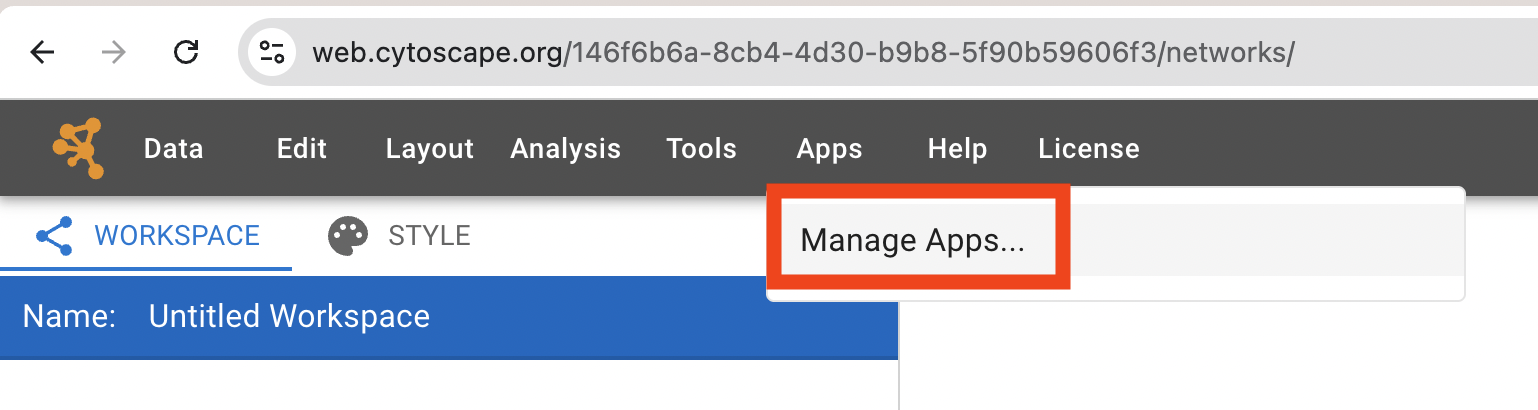
In Cytoscape Web open the context menu, click Apps, then choose Manage Apps.
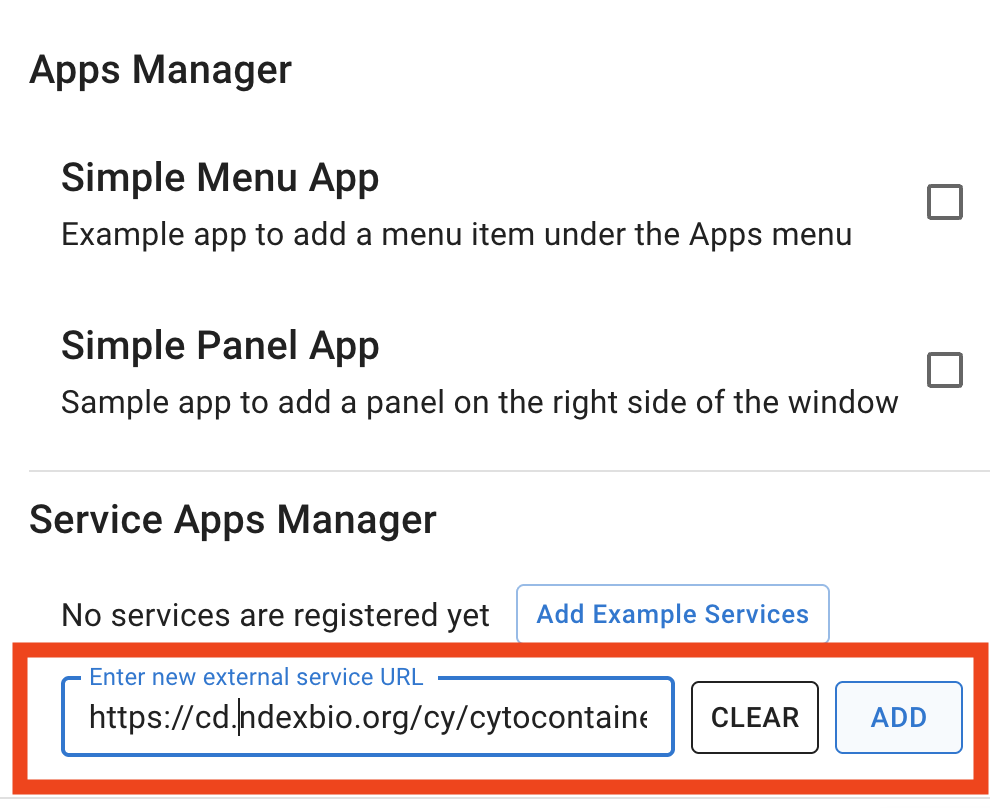
Paste the URL below into the Enter new external service URL input box and click Add.
https://cd.ndexbio.org/cy/cytocontainer/v1/cellmappingtoolkitcommunitydetection
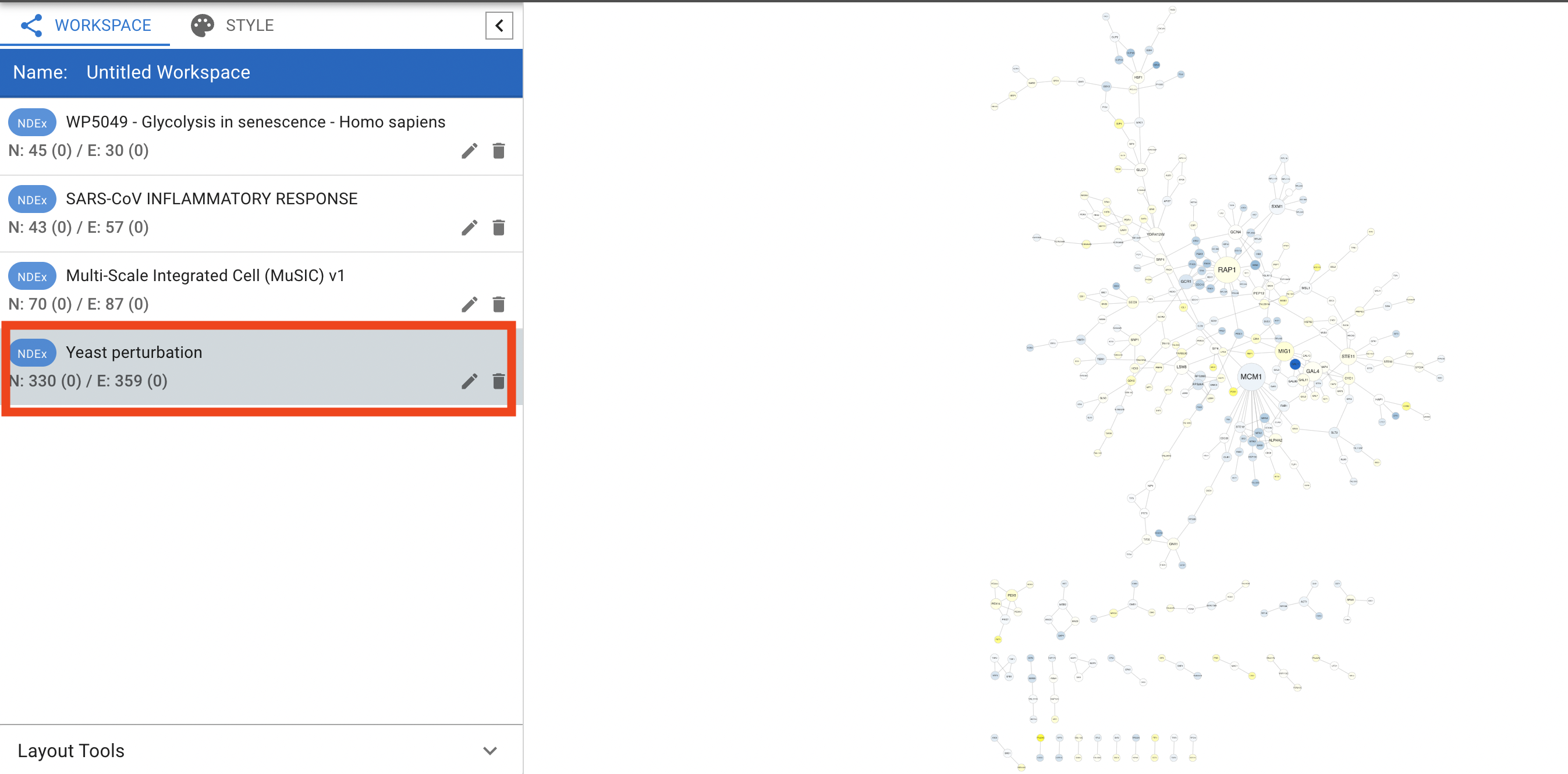
Open the Sample Networks panel (or any network you prefer) and load the Yeast preturbation network. To open the Sample Networks panel, go to Data in the context menu, then click Open Sample Networks.
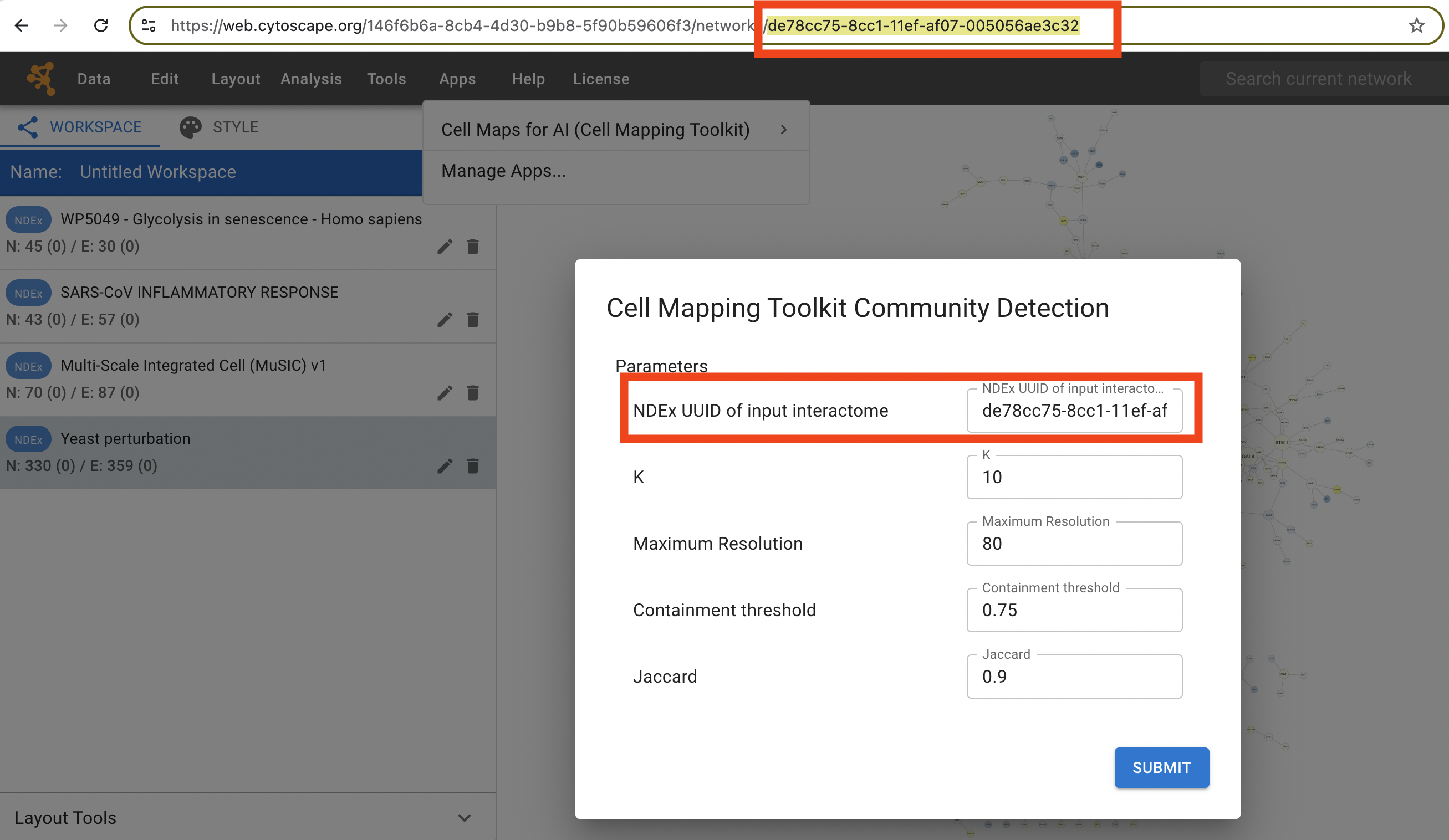
Go to Apps -> Cell Maps for AI (Cell Mapping Toolkit)-> Cell Mapping Toolkit Community Detection and click it to open the dialog.

Copy the NDEx UUID shown for the Yeast preturbation network and paste it into the NDEx UUID of input interactome field.
Note
If an invalid UUID is provided, the hierarchy will still be generated, but no interaction network will be displayed in the subnetwork viewer when clicking on the communities/assemblies on the left panel.
Click Submit to start the analysis. The app runs community detection on the selected network and, once finished, returns the generated hierarchy to Cytoscape Web.

Note
Be sure to save your network in Cytoscape Web if you want to keep the results by logging into your account (via login icon in upper right corner) and using the Data -> Save Network to NDEx menu option.