Example usage for CM4AI data
CM4AI 0.5 Alpha Data Release
Visit cm4ai.org and go to Products -> Data Releases
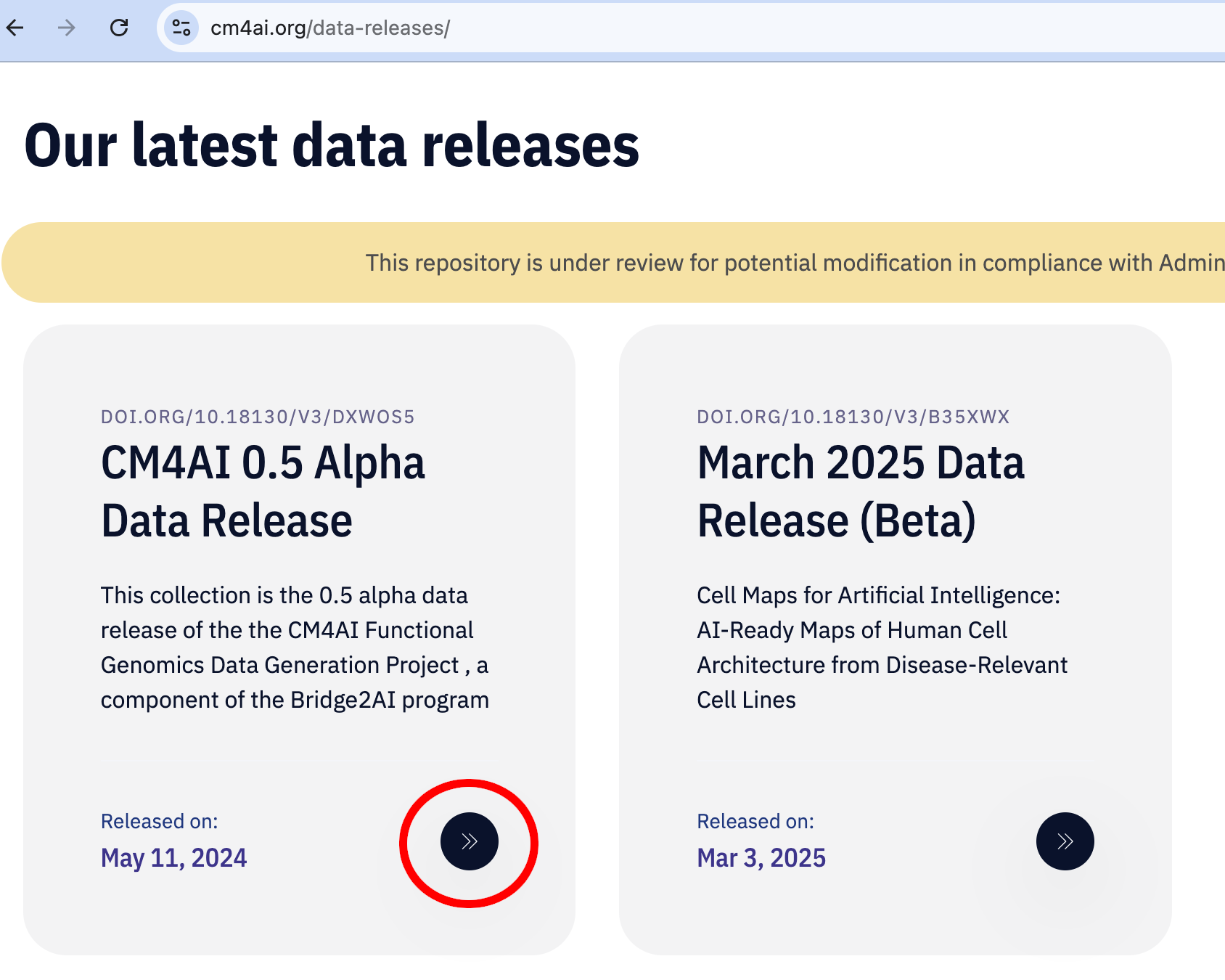
Scroll down and click CM4AI 0.5 Alpha Data Release link (circled in red)
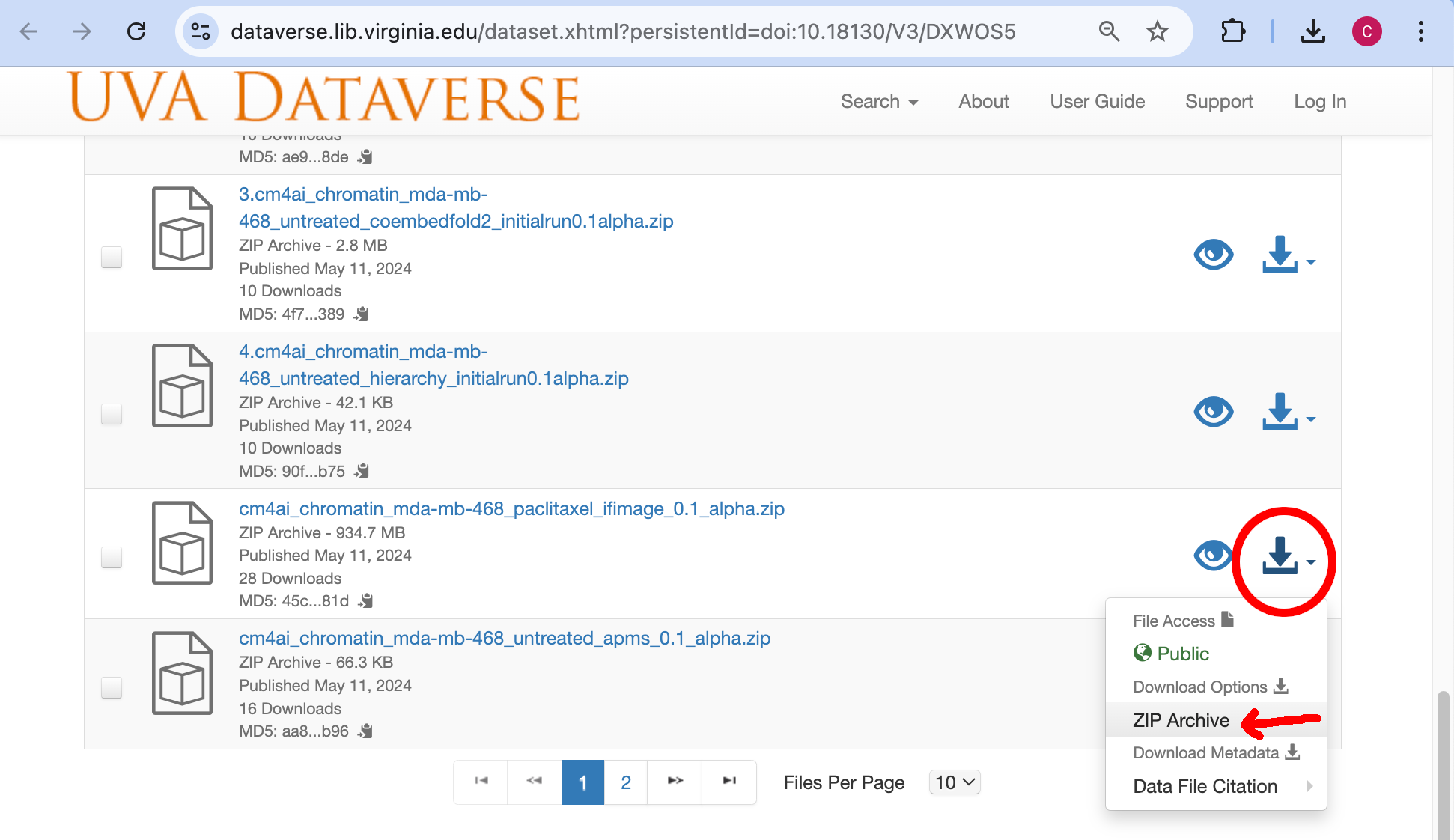
On the newly opened page/tab, scroll down to the cm4ai_chromatin_mda-mb-468_paclitaxel_ifimage_0.1_alpha entry and click the download icon (circled in red) to bring up a pop up dialog. Click Zip Archive (red arrow) to accept the usage agreement and download the dataset
Note
For vorinostat dataset, look for cm4ai_chromatin_mda-mb-468_vorinostat_ifimage_0.1_alpha.zip entry and perform the same operations above.
Note
For untreated dataset, click here to download the images which are stored as a tarred gzip file
Download AP-MS data
Perform the previous step and select cm4ai_chromatin_mda-mb-468_untreated_apms_0.1_alpha entry to download the AP-MS data
Uncompress files
This can be done by double clicking on the file or if on a Mac/Linux machine by running the following on a command line:
unzip cm4ai_chromatin_mda-mb-468_paclitaxel_ifimage_0.1_alpha.zip
unzip cm4ai_chromatin_mda-mb-468_untreated_apms_0.1_alpha.zip

# if using the untreated images run this to uncompress
tar -zxf cm4ai_chromatin_mda-mb-468_untreated_ifimage_0.1_alpha.tar.gz
Running cellmaps_pipelinecmd command
# Be sure to unzip the zip files above before running this step

cellmaps_pipelinecmd.py . --example_provenance > pipe_prov.json

# Be sure to update pipe_prov.json file

cellmaps_pipelinecmd.py ./paclitaxel_run -vvvv --provenance pipe_prov.json \
      --cm4ai_apms cm4ai_chromatin_mda-mb-468_untreated_apms_0.1_alpha/apms.tsv \
      --cm4ai_image cm4ai_chromatin_mda-mb-468_paclitaxel_ifimage_0.1_alpha/MDA-MB-468_paclitaxel_antibody_gene_table.tsv
Note
Above command may fail to run on machines with 16gb of ram or less
Example usage March 2025 Data Release (Beta)
Visit cm4ai.org and go to Products -> Data Releases
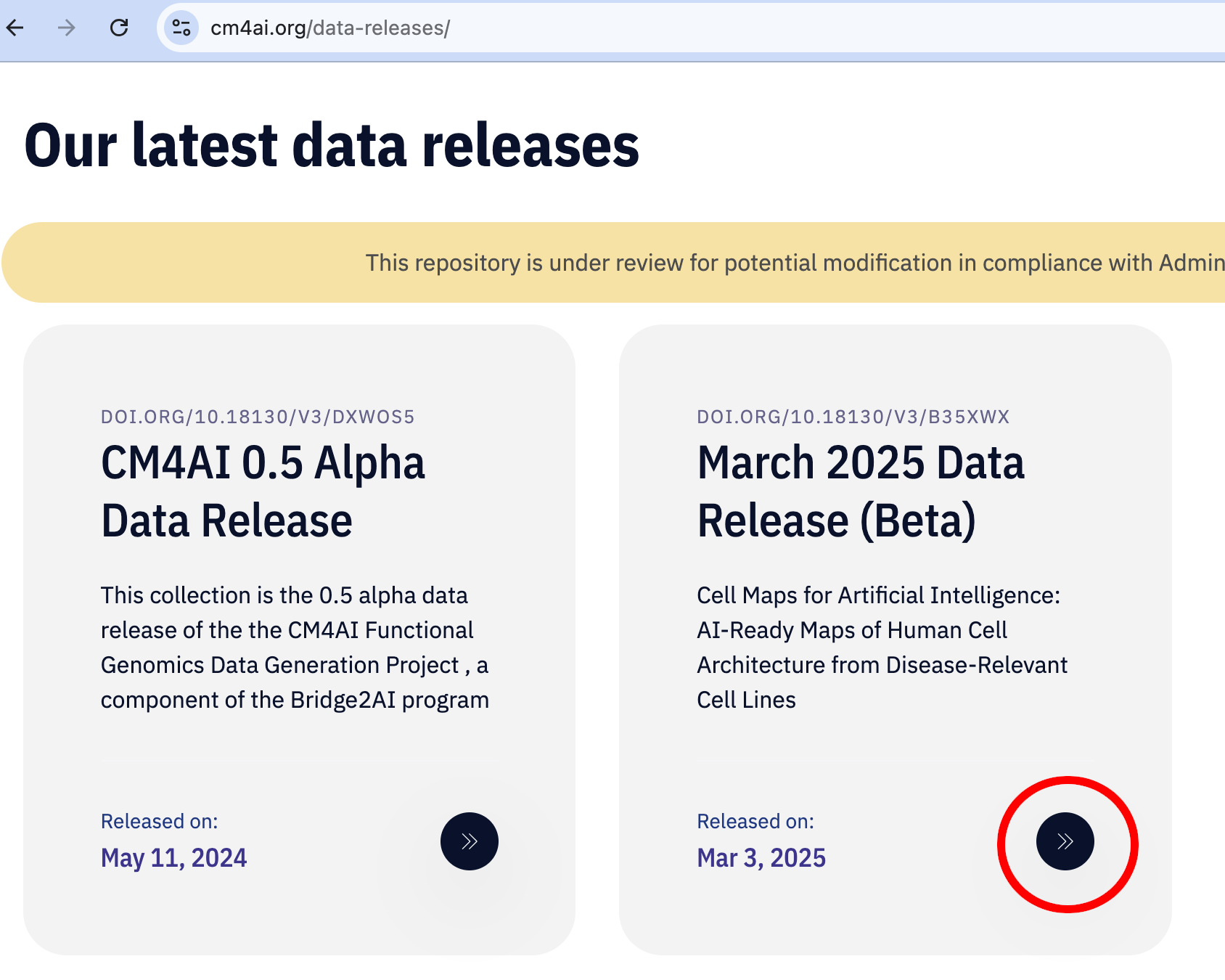
Scroll down and click March 2025 Data Release (Beta) link (circled in red)
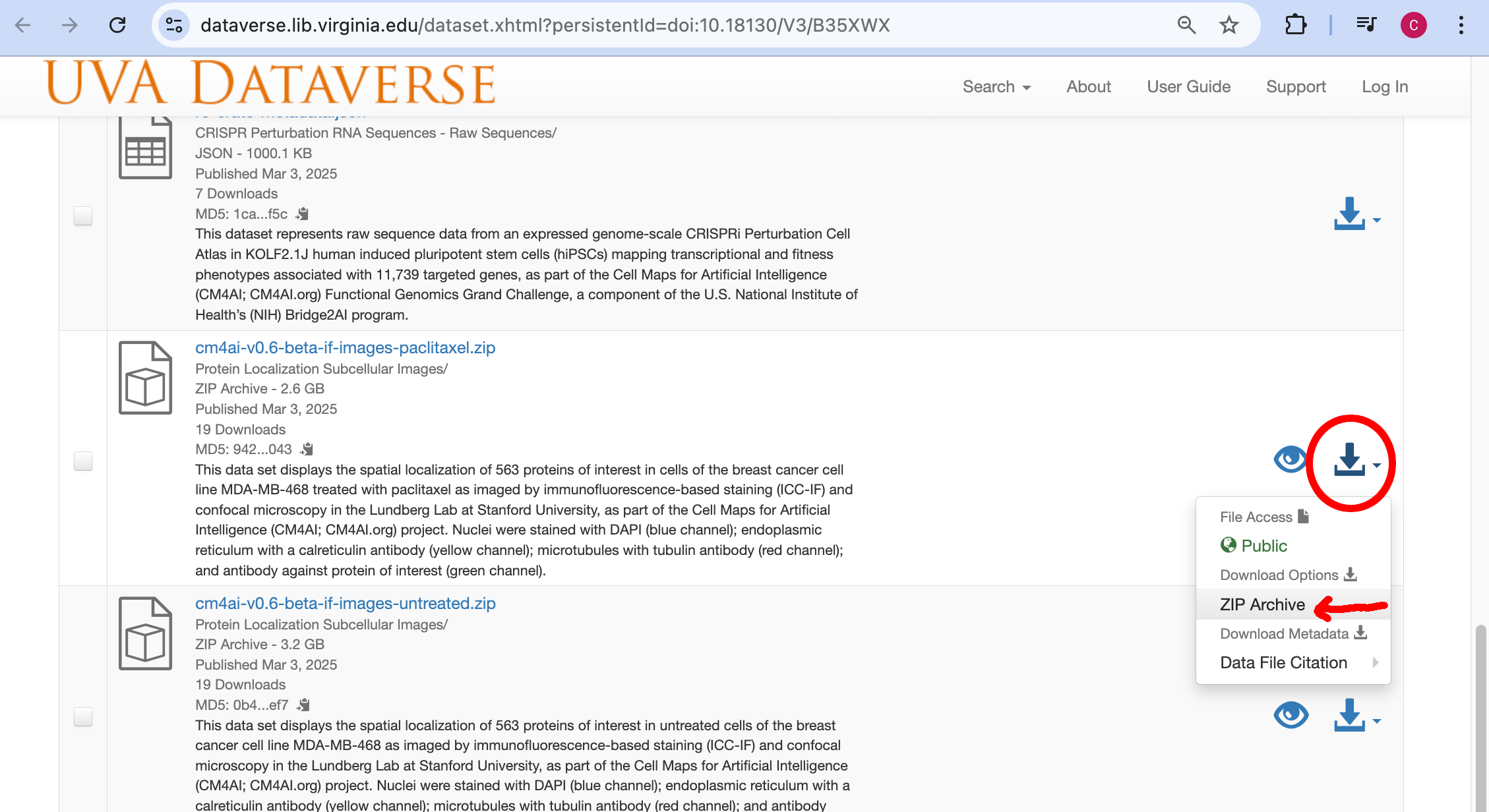
On the newly opened page/tab, scroll down to the cm4ai-v0.6-beta-if-images-paclitaxel.zip entry and click the download icon (circled in red) to bring up a pop up dialog. Click Zip Archive (red arrow) to accept the usage agreement and download the dataset
Note
For vorinostat dataset, look for cm4ai-v0.6-beta-if-images-vorinostat.zip entry and perform the same operations above. Same goes for untreated, look for cm4ai-v0.6-beta-if-images-untreated.zip
Download AP-MS data
This release does not have an AP-MS dataset, just use the AP-MS dataset cm4ai_chromatin_mda-mb-468_untreated_apms_0.1_alpha from 0.5 release documented above.
Unzip file
This can be done by double clicking on the file or if on a Mac/Linux machine by running the following on a command line:
unzip cm4ai-v0.6-beta-if-images-paclitaxel.zip
unzip cm4ai_chromatin_mda-mb-468_untreated_apms_0.1_alpha.zip
Running cellmaps_pipelinecmd command
 # Be sure to unzip the zip files above before running this step

cellmaps_pipelinecmd.py . --example_provenance > pipe_prov.json

# Be sure to update pipe_prov.json file

cellmaps_pipelinecmd.py ./paclitaxel_feb2025run -vvvv --provenance pipe_prov.json \
      --cm4ai_apms cm4ai_chromatin_mda-mb-468_untreated_apms_0.1_alpha/apms.tsv \
      --cm4ai_image paclitaxel/manifest.csv
Note
Above command may fail to run on machines with 16gb of ram or less